
Understanding Google Ads Match Types:Why More Keywords Doesn’t Always Mean More Customers.
AI has changed a lot about Google Ads, but one of the biggest changes happened long before ChatGPT arrived.
The keywords in your Google Ads account are no longer a strict list of searches your ads can appear for. Instead, they help Google understand what your business offers and the types of customers you want to reach. Google then uses those keywords, along with search intent, match types and many other signals, to decide when your ads are eligible to appear.
That one change explains most of what confuses business owners about Google Ads today. It’s why your ads can show for searches you never added as keywords, why creating longer keyword lists rarely leads to more enquiries, and why managing a successful Google Ads campaign involves much more than simply adding keywords.
We have the same conversation with business owners all the time:
“I noticed someone searched for this phrase. Shouldn’t we add it as a keyword?”
Ten years ago, the answer was often yes. Today, it’s usually no.
That surprises people because it feels logical that more keywords should mean more opportunities to appear in search results. But modern Google Ads doesn’t work that way anymore. Google’s matching technology is designed to understand meaning, not just the exact words you’ve added to your account. In many cases, your existing keywords already tell Google enough about your business to match your ads to relevant searches.
Once you understand that, a lot of Google Ads starts to make sense. You’ll understand why your ads appear for searches you never entered, why adding hundreds of extra keywords rarely transforms performance, and why the biggest improvements usually come from better targeting, stronger ads, smarter bidding and more relevant landing pages rather than simply expanding your keyword list.
In Google Ads, keywords are signals, not a complete list of searches. Google matches your ads to searches with the same meaning or intent, so adding every new search phrase as a keyword usually adds clutter rather than customers. Most accounts get more from reviewing search terms and adding negative keywords than from growing the keyword list.
A keyword isn't the same as a search term.
This is the misunderstanding behind most of the confusion, so it’s worth being precise.
A keyword is what you add to your Google Ads account.
A search term is what someone actually types into Google before your ad appears.
The two are often different. Your account might have the keyword “driveway cleaning,” and your ad might show for someone who searched “get oil stains off concrete driveway.” You never added that phrase, but Google decided the person was looking for what you offer.
When business owners open the Search Terms report for the first time and see searches that aren’t in their keyword list, the natural reaction is that something has gone wrong. Usually it hasn’t. Google is doing what it was built to do.
How Google Ads match types work now.
Match types control how closely a search has to relate to your keyword before your ad can show. There are three, and all of them have become looser over the years.
Exact match is the tightest. According to Google’s own match type guide, it shows your ad on searches with “the same meaning or same intent” as your keyword. That means “exact” no longer means word for word. The keyword “pressure cleaning Gosford” can match “Gosford pressure cleaner” or “high pressure cleaning in Gosford.”
Phrase match shows your ad on searches that include the meaning of your keyword, including more specific versions of it. The keyword “roof cleaning” could match “tile roof cleaning cost” or “who cleans roofs near me.”
Broad match is the widest. It can show your ad on searches related to your keyword, even when they don’t contain its direct meaning. It also looks at other signals, including the person’s recent searches, your landing page and the other keywords in your ad group.
If you’ve been in Google Ads a while, you might remember broad match modifier, the old “+keyword” format. Google retired it in 2021 and folded its behaviour into phrase match, which is part of why phrase match now reaches further than it used to.
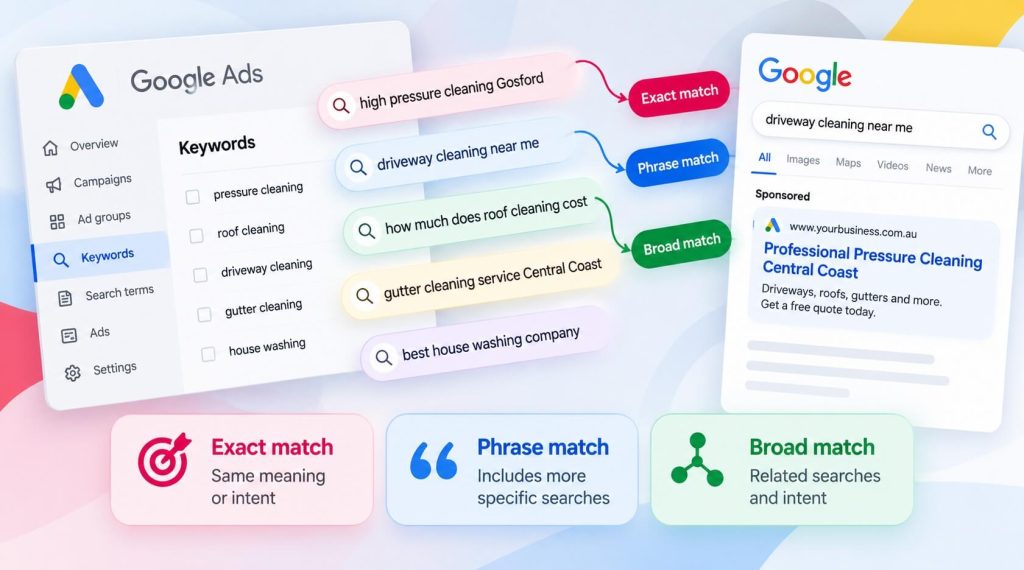
Google is matching intent, not words.
Behind all of this is one shift. Google’s goal is no longer to match the words in a search. It’s to work out what the person wants and decide whether your business can help.
People describe the same problem in very different ways. One person searches “cracked shower screen,” another searches “shower glass broken what do I do,” and a third asks “how much to replace a frameless shower screen.” A glazier wants to be in front of all three. Intent-based matching means you don’t need a separate keyword for every way someone might phrase it.
The trade-off is control. The looser the matching, the more you have to watch where your ads are actually showing, and that’s where the real work in an account happens.
Why adding every search term as a keyword backfires.
Here’s the pattern we see when an account has been managed without a clear strategy.
The owner checks the Search Terms report, spots a search that got a click and adds it as a keyword. Next week they do it again, then again. A year later the campaign has hundreds of keywords, many of them near-copies of each other.
Most of those extra keywords do nothing. The searches they were added for were already being matched by existing keywords. What they do add is clutter. The account’s data gets spread across dozens of near-identical keywords, so it’s harder to see what’s working, and every future change takes longer.
That doesn’t mean you should never add a search term as a keyword. Sometimes it’s the right call. Google gives priority to an exact match keyword that’s identical to the search, so adding one lets you send a valuable search to a specific ad and landing page, or bid on it differently. The test is simple: does the new keyword give you control you don’t already have? If it doesn’t, it’s just another line in the account.
Google's recommendations aren't a to-do list.
The Recommendations tab in Google Ads causes a similar problem. It’s reasonable to assume that a suggestion from Google will improve your results. Often it won’t.
Recommendations are designed to increase activity in your account: more reach, more keywords, bigger budgets, broader matching. Some are useful. Others don’t fit your budget, your margins or the kind of customer you want. Keyword suggestions are a common example, because Google will often recommend variations your existing keywords are already matching.
It also helps to know that your account’s optimisation score goes up when you apply recommendations. A higher score isn’t the same thing as more enquiries.
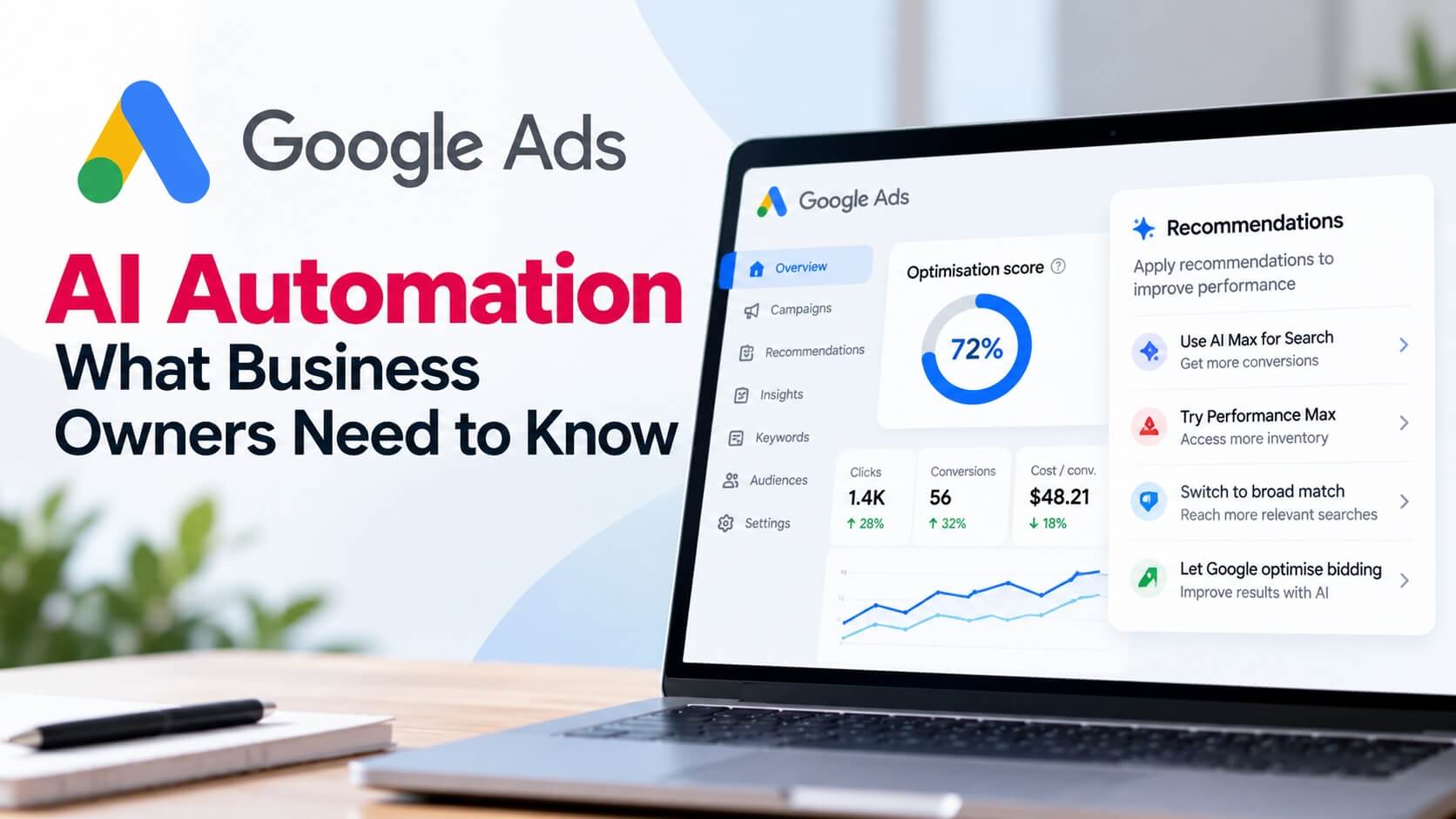
We review every recommendation against the campaign’s strategy before deciding whether to apply it, rather than accepting them automatically. We explain our thinking in more detail in Google Ads AI Automation: What Business Owners Need to Know, including why human oversight still matters in accounts that lean heavily on automation.
AI Max is pushing matching even further.
This is becoming more important, not less. Google’s newer AI Max for Search campaigns include a feature called search term matching, which finds relevant searches beyond the keywords in your account altogether.
According to Google’s announcement, campaigns using Dynamic Search Ads, automatically created assets or campaign-level broad match started being upgraded to AI Max automatically from September 2026. For many advertisers, that means even more of their traffic comes from searches they never chose.
That can work well when it’s watched closely. Left alone, it can spend a budget on searches that were never going to turn into customers. Either way, it makes the next two sections more important.
The Search Terms report is where the real work happens.
The Search Terms report shows the actual searches that triggered your ads. It doesn’t show every single search (Google hides very low-volume terms for privacy), but it shows enough to tell you how real people are finding you.
When we review it, we’re looking for four things:
- Searches that are converting well and deserve their own keyword, ad or landing page
- Irrelevant searches that are wasting budget and need to be excluded
- New phrases that show how customers describe their problem, which often feed back into ad copy and website content
- Patterns over time, like seasonal shifts or new services people are asking for
This is where decisions stop being guesses. Instead of wondering which keywords might work, you’re looking at what people actually searched before they clicked.
Negative keywords often do more than new keywords.
Broader matching finds new customers, but it also finds plenty of people who were never going to buy. Negative keywords are how you filter them out. They tell Google which searches you don’t want your ads to appear for.
A business that only offers a premium service might exclude searches containing words like “cheap,” “free,” “DIY,” “jobs” or “careers.” Someone searching “pressure cleaning jobs Central Coast” wants employment, not a quote, and every click from them costs money.
One detail catches a lot of people out. Your regular keywords match close variants, but negative keywords don’t. Google handles misspellings automatically, but you need to add plurals and synonyms yourself. Excluding “job” doesn’t exclude “jobs,” so you’d need both.
In many accounts, a well-maintained negative keyword list does more for results than any number of new keywords. It doesn’t bring in more traffic. It makes sure the budget goes to the right traffic.
What a healthy Google Ads account looks like
The best-performing accounts are rarely the ones with the most keywords. They usually have:
- A clear campaign structure, organised around services and locations
- A focused set of keywords grouped into tight themes
- Regular search term reviews
- A negative keyword list that’s actively maintained
- Changes based on real results, not on whatever Google recommends that week
Fewer keywords, better decisions.
Adding more keywords isn’t a strategy. Knowing how your keywords are matching, watching the searches that actually trigger your ads and filtering out the ones that don’t is what improves results over time.
If your account has grown into a long list of keywords and you’re not sure what’s working, we’re happy to take a look. We’ll review how your keywords are matching, where the budget is going and what’s worth changing first. Find out more about our Google Ads management, or get in touch to talk it through.
FAQs.
What are the three Google Ads match types?
Broad match, phrase match and exact match. Exact match shows ads on searches with the same meaning or intent as your keyword. Phrase match shows ads on searches that include your keyword’s meaning, including more specific versions. Broad match shows ads on related searches and uses other signals, like your landing page and the person’s recent searches.
What's the difference between a keyword and a search term?
A keyword is what you add to your Google Ads account. A search term is what someone actually typed into Google before your ad appeared. Because of how match types work, one keyword can trigger many different search terms.
Why is my ad showing for searches I didn't add?
Google matches ads to searches with the same meaning or intent as your keywords, not just the exact words. This helps you reach people who describe their problem differently, but it also means you need to review your search terms and exclude irrelevant ones with negative keywords.
Should I add search terms as new keywords?
Only when it gives you more control, such as sending a valuable search to a specific ad and landing page or bidding on it separately. If an existing keyword is already matching the search, adding it again usually just adds clutter.
Do negative keywords work the same way as regular keywords?
No. Negative keywords don’t match close variants, synonyms or plurals, so you need to add those yourself. Google does account for misspellings automatically.
Should I apply every Google Ads recommendation?
No. Recommendations are designed to increase activity in your account, which doesn’t always match your budget or goals. Each one should be reviewed against your campaign strategy before it’s applied.
How often should I review my search terms?
It depends on how much your account spends. Accounts with steady daily traffic benefit from a review every week or two. Smaller accounts can be reviewed monthly. The more automated your campaigns are, the more often it’s worth checking.